AI TEAMMATES · NEW

Hire someone who already knows your workspace.

An AI teammate is a named member of your workspace with a job, a voice and exactly the access you give it. It reads your tables every morning, tells you what needs a person, and puts every change it suggests in front of somebody before it counts.

Included in every plan Never an admin Changes nothing on its own Your data never trains a model
Maya's desk at Cedarwood Salon. Her morning brief leads with: Marco Linden is double-booked this afternoon, two overlapping appointments at 2:00 PM. Beside it, how she works: a morning brief every day at 7:30 AM and a check on each new booking.
  1. The brief leads with what needs a person. Marco is booked twice at 2:00. Every booking it names is a link that opens the booking.
  2. It is a member of the workspace. A Team row in the rail, and a rounded square marked AI wherever it appears. A person is a circle.
  3. One button stops it. Pause stops every duty at once. Let go removes it, and keeps what it wrote.

The product itself. Maya's brief was written by the AI from the salon's real bookings. Not a mock-up.

01 · THE JOBS

Two jobs to hire for. Each checked against your tables.

A job is offered only where your workspace can run it, and its card says what it would find in your data right now. You choose its name, its colour and how it writes. Hiring never adds a table or a field.

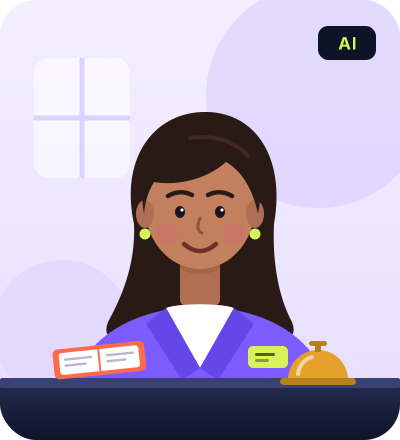
An illustration of Maya, an AI teammate: a woman with long dark hair in a violet blazer behind a front desk, with an appointment book and a desk bell, tagged AI.

Maya AI

Front Desk Manager

For a table that takes bookings.

  • Morning briefDouble bookings today and tomorrow, yesterday’s bookings nobody closed, and days this week with nothing in them.
  • New booking checkEach booking as it arrives. If it clashes, it suggests somebody who is free.Can suggest a change
  • Bookings with nobody on themSpeaks up when a booking has no one assigned.

Writes Warm, a short paragraph

An illustration of Sam, an AI teammate: a person with curly hair, round glasses and a headset at a desk with a laptop and a mug, tagged AI.

Sam AI

Support Lead

For a tickets table with response targets, routing or an email address of its own.

  • Morning briefThe queue: tickets late on their targets, a lopsided spread, duplicates worth merging.
  • New ticket checkEach ticket as it arrives, against the open ones, for a duplicate.
  • Tickets nobody has picked upWhen more than five wait with no owner, it says so, and suggests an owner for up to five of them.Can suggest a change

Writes Plain, a sentence or two

Maya and Sam are the names each job suggests, drawn here as people to show who they are. In the app each one is a rounded square marked AI, where a person is a circle, so a teammate is never mistaken for a colleague.

02 · A SATURDAY AT CEDARWOOD SALON

Automations do what you wrote. Maya has a job.

Squares are AI. Circles are people. That holds in a cropped screenshot, and for anybody who can’t tell the colours apart.

  1. M
    6:37 AM A 2:00 cut is booked with Marco.

    Maya checks it within half a minute. Marco already has Mae Tran’s colour from 1:30 to 3:00.

    Notices
  2. M
    6:37 AM She suggests Joss.

    Joss is free at 2:00 and already has two cuts today. One field changes, Staff, and only when a person says so.

    Suggests a change
  3. M
    6:39 AM The morning brief lands.

    It leads with the clash. Then the day: nine bookings, one with nobody on it, and a Sunday with no hours in the rota.

    Writes
  4. EH
    When Ellie opens it A person decides.

    Approve on the desk or in Approvals, and the change is made as Ellie. Decline it, and nothing changes.

    A person decides
  5. M
    After 72 hours Nobody answered?

    The suggestion expires, honestly, rather than being approved too late. Nothing changes.

    Expires
Maya suggests a change to the booking Tom Becker · Cut: Staff, from Marco Linden to Joss Whittaker, with her reason, Approve and Decline buttons, and Expires in 2 days.
The suggestion as Ellie sees it: what the field is now, what it would become, and why. Written by the AI from the salon’s bookings.
Maya's card on the team page: Front Desk Manager, works for Ellie Hart, Working, with the headline of her latest brief.
03 · WHO DECIDES

It does the groundwork. A person decides whether it counts.

1

Reads

The tables its job needs, and any you tick. Every other table is closed to it, including the ones you add later.

2

Writes

Briefs and notes, on its own desk. Its sponsor is told when it writes, and anything it has nothing to say about, it leaves out.

3

Suggests

A change to one field, which waits in Approvals. Any admin can decide it. It is made as the person who approved it.

EVERY SUGGESTION ENDS ONE OF FOUR WAYS
  • ApprovedThe change is made, and remembers what it replaced, so it can be undone.
  • DeclinedNothing changes.
  • ExpiredNobody answered within 72 hours. Nothing changes.
  • WithdrawnSomebody edited the record first, so nobody’s newer edit is written over.
04 · ITS FIRST WEEK

See what it would do, before it does anything.

A new teammate starts with a practice week. For its first 7 days its suggestions are marked Practice: you approve or decline them as usual, on your real data, and approving one changes nothing.

Once its suggestions look right, end the practice early from its desk. Or switch suggesting off when you hire it, and it only reports.

Practice week · day 3 of 7
Practice Tom Becker · Cut Marco Linden Joss Whittaker Approve (practice)

Approved in practice. Nothing was changed.

05 · HIRING ONE

Meet it first. Nothing exists until you press Hire.

  1. Meet A name, a colour, how it writes and who it works for, with a sample of its voice as you choose.
  2. Duties Which of its jobs to switch on, and when the brief comes.
  3. What it reads Every table and field it needs, matched to one you already have. Where two could fit, you choose.
  4. Review Everything hiring creates, in one list. Then, if you like, it writes its first brief while you watch.
The first step of hiring a Front Desk Manager: the name Maya, a colour, how much it writes, its tone set to Warm, who it works for, and beside them a sample brief in that voice.
The sample is labelled as one: its people and numbers are made up. The real thing reads your data.
06 · PRICE

It doesn’t take a seat.

A seat price would suggest it replaces a person. It doesn’t, so teammates are included in every plan. Each one has a monthly limit of AI actions instead: a morning brief is one action, and so is each check a duty makes.

At its limit it pauses until the month turns, and tells the person it works for. It never goes over, and it doesn’t touch the AI allowance your team shares.

See pricing
Included in every plan · never counted as a member
100 AI actions a month 200 AI actions a month 500 AI actions a month

A brief every morning is about 30 actions a month. You choose the limit when you hire it, and an admin can change it on its desk.

07 · SAFETY

Built into the design, not left to settings.

  • Never an admin. Hired as a viewer, so it can’t widen anybody’s access, its own included.
  • Changes nothing on its own. What it suggests waits for a person, and is made as that person.
  • Sends nothing. No email, no text, nothing outside your workspace.
  • Reads only what you give it. Every other table is closed to it, including ones added later.
  • Its sponsor sees everything it sees. If that stops being true, or the sponsor leaves, it pauses.
  • Always marked as AI. A square where a person is a circle, and its role beside its name.
  • One button stops it. Pause on its desk stops every duty at once.
  • Never trains a model. Its questions go to the same AI provider as the rest of RowFold, and your data is never used for training.

How RowFold uses AI with your data: the privacy policy · security.

STRAIGHT ANSWERS

What people ask before they hire one.

Does an AI teammate cost extra?

No. Teammates are included in every plan and never take a seat. Each one has a monthly limit of AI actions that you choose when you hire it: 100, 200 or 500. A morning brief is one action, and so is each check a duty makes. At the limit it pauses until the month turns and tells the person it works for. It never goes over, and its actions don't come out of the AI allowance your team shares.

Can it change my records or message my customers?

It changes nothing itself and sends nothing: no email, no text, nothing outside your workspace. It writes what it finds on its own desk. Where a duty may suggest a change, the change waits until a person in your workspace approves it, and it is then made as that person. An applied change can be undone.

What can it see?

Only the tables its job needs and any you tick when you hire it. Every other table is closed to it, including tables you add later. It is hired as a viewer and is never an admin, so it can't change anybody's access, its own included. The person it works for must be able to see everything it sees.

What if it gets something wrong?

Decline the suggestion and nothing changes. One nobody answers expires after 72 hours. If somebody edits the record first, the suggestion is withdrawn rather than written over the newer value. And for its first 7 days a new teammate is in a practice week: you answer its suggestions as usual, and approving one changes nothing.

Which jobs can I hire for?

Two today. A Front Desk Manager, for a table that takes bookings: it writes a morning brief, checks each new booking for a clash and can suggest somebody who is free, and speaks up about bookings with nobody on them. And a Support Lead, for a tickets table: it writes a morning brief about the queue, checks each new ticket for a duplicate, and can suggest an owner for tickets nobody has picked up. A job is offered only where your own tables can run it, and hiring never adds a table or a field.

Is my data used to train AI?

No. A teammate's questions go to the same AI provider as the rest of RowFold's AI, in the same way, and your data is never used to train a model.

How do I stop it?

Pause on its desk stops every duty at once, and Resume starts them again. Let go removes it from the workspace for good. Its desk is kept, so what it wrote can still be read.

Can it sign in, or be mistaken for a person?

Neither. A teammate has no password and no way to sign in. Everywhere it appears it is drawn as a rounded square marked AI, where a person is a circle, and its name reads with its role, as in Maya · AI teammate.

YOUR FIRST TEAMMATE

It starts with a practice week. You start in a minute.

Build or import your workspace, open AI teammates, and meet the job your tables can run. It writes its first brief before you close the page.

Start free Talk to a person 30 days free · Teammates included · No credit card